
When you sit down to plan the technical architecture for a web hosting business or a digital asset marketplace, you quickly realize that no single software platform can do everything perfectly. You need a frontend that is fast, highly optimized for search engines, easy to update, and flexible enough to handle complex landing pages. At the same time, you need a backend engine that is secure, rock-solid at handling recurring invoices, capable of provisioning server resources automatically, and trusted by clients.
If you try to make one system handle both roles, you immediately run into severe operational roadblocks.
For instance, trying to force WordPress to manage hosting automation, suspension crons, and continuous server resource tracking through a patchwork of plugins is an invitation to database corruption and security vulnerabilities. Conversely, trying to use your billing platform—like Blesta—as a content marketing engine or blog platform is an exercise in immense frustration. Blesta is built for elite infrastructure automation, not semantic SEO content management.
The solution? The Hybrid Stack.
By pairing WordPress on the frontend with Blesta on the backend, you create the ultimate digital deployment. You leverage WordPress for what it does best (marketing, lead generation, and content authority) and offload the critical operations to Blesta (billing, client management, and automation).
However, running two completely separate software applications under one brand can easily result in a disjointed, confusing experience for your visitors if you don’t connect them properly. Here is a practical, step-by-step developer’s blueprint on how to seamlessly bridge WordPress and Blesta into a unified, high-converting ecosystem.
1. Defining the URL Architecture: Subfolder vs. Subdomain
The very first decision you must make is where these two platforms will physically live on your web server. This choice impacts everything from your tracking cookies to your SEO strategy.
You have two primary paths:
Path A: The Subfolder Setup ([yoursite.com/portal/](https://yoursite.com/portal/))
In this configuration, WordPress is installed in the root directory, and Blesta is installed inside a nested folder.
-
The SEO Benefit: Google treats everything inside a subfolder as part of the main root domain’s authority matrix. Any backlinks or traffic your billing portal receives will directly support your core marketing domain.
-
The Technical Risk: Managing
.htaccessrewrite rules can become a nightmare. If WordPress uses aggressive permalink rewrites, it can accidentally hijack requests meant for the Blesta subfolder, leading to frustrating404 Not Foundor internal server errors inside your client area.
Path B: The Subdomain Setup (portal.yoursite.com)
This is the industry-standard architecture used by enterprise platforms like DigitalOcean, Linode, and AWS. WordPress runs the show on your apex root domain (yoursite.com), while Blesta is cleanly sandboxed on a dedicated subdomain (like my.yoursite.com or clients.yoursite.com).
-
Why it Wins: It isolates your billing ecosystem completely. Your Blesta database and core files sit on an isolated path, meaning a plugin conflict or security vulnerability on your WordPress marketing site cannot easily compromise your core billing panel. It also keeps your server configurations clean, as you can allocate different PHP memory limits or caching policies to each environment.
The Verdict: Go with the Subdomain Setup. It provides the cleanest structural isolation, eliminates rewrite rule conflicts, and gives you far greater architectural flexibility as your infrastructure scales.
2. Harmonizing the Visual Interface (The Design Bridge)
The most jarring mistake a developer can make with a hybrid stack is failing to match the visual identities of both platforms. If a user clicks an “Order Now” button on a clean, minimalist WordPress layout and is suddenly dropped into a default, stark Blesta layout with different fonts, colors, and headers, trust drops instantly.
To make the transition completely invisible, you need to sync the design language across both platforms.
+--------------------------------------------------------+
|                 UNIFIED BRAND HEADER                   |
|  [Logo]   Features   Pricing   Documentation   [Login] |
+--------------------------------------------------------+
|                                                        |
|   WORDPRESS SCRIPT            |   BLESTA ENGINE        |
|   (Root Domain: .com)         |   (Subdomain: my.)     |
|                               |                        |
|   * Landing Pages             |   * Automated Cart     |
|   * Dynamic Pricing Grids     |   * Service Management |
|   * SEO Content & Articles    |   * Invoice Generation |
|   * Feature Deployed Blocks   |   * Support Help Desk  |
|                               |                        |
+--------------------------------------------------------+
Step 1: The Unified Navigation Menu
Your main navigation header and footer must be completely identical on both sites.
-
Do not use dynamic menu builders that pull from internal databases. Instead, map out your main links using explicit, hardcoded absolute URLs.
-
The “Pricing” link on your Blesta subdomain must point back to
[yoursite.com/#pricing](https://yoursite.com/#pricing). The “Support” or “Client Dashboard” link on your WordPress frontend must point directly to[portal.yoursite.com/plugin/support_manager/client_tickets/](https://portal.yoursite.com/plugin/support_manager/client_tickets/)or the primary login page.
Step 2: Font and Color Synchronization
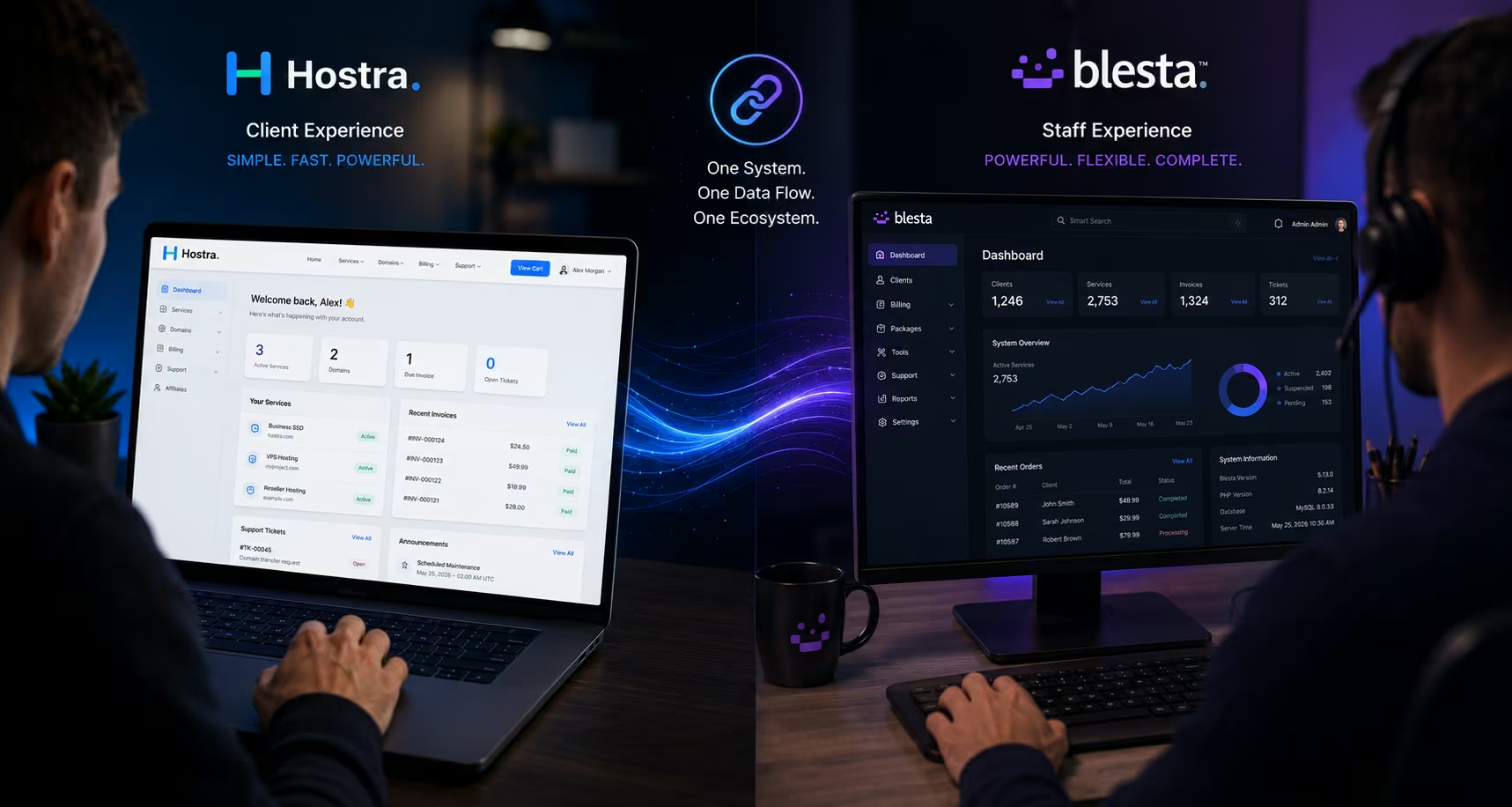
Inspect your main theme files. If your WordPress marketing pages use a specific typeface (like Inter or DM Sans) paired with specific hex codes for primary buttons, your Blesta client template must import those exact same asset weights and brand parameters. Deploying a comprehensive, modern UI framework on your Blesta installation (such as the Hostra template platform) ensures that the layout grid, soft element roundings, and input fields look perfectly synchronized with your custom WordPress build.
3. Deep Linking the Checkout System
Your visitors should never have to search through a native Blesta catalog to find the product they want. The entire sales funnel should be initiated on your highly optimized WordPress landing pages. This requires Deep Linking.
Inside the Blesta admin panel, every package you create generates a unique configuration path known as an Order URL. This URL bypasses the general storefront and drops the user directly into a specific checkout flow with that exact product pre-selected in their cart.
How to map it out efficiently:
-
Build your comparison grids or pricing tables inside WordPress using your preferred design suite (like Elementor or clean flat HTML blocks).
-
Grab the specific package Order URL from your Blesta Billing settings dashboard.
-
Bind that explicit link straight to the “Get Started” or “Buy Now” button on your WordPress pricing card.
When a client clicks that button, they transition smoothly to your secure subdomain, where the Blesta checkout flow is already loaded with the correct parameters, allowing them to instantly enter their domain name and complete the transaction.
4. Critical Server Optimization & Caching Exclusions
This is where many hybrid stack deployments run into massive technical issues. WordPress administrators love aggressive caching. To make a marketing site load near-instantly, developers often deploy server-side page caching (like Nginx FastCGI cache, LiteSpeed Cache, or Redis object caching).
While this is fantastic for static blog entries and landing pages, applying these same global rules to your Blesta billing directory will completely break your client area.
If your server cache accidentally snapshots a dynamic Blesta session page, one customer could open their dashboard and see another customer’s active invoices, open support tickets, or personal profile data. This is a catastrophic security and privacy failure.
                     ┌───────────────────────┐
                     │ Incoming Web Traffic  │
                     └───────────┬───────────┘
                                 │
                   ───────┴───────
                  /               \
        [ Apex Domain ]       [ Subdomain ]
         yoursite.com       portal.yoursite.com
              │                     │
    ┌─────────┴─────────┐ ┌─────────┴─────────┐
    │  WordPress Site   │ │   Blesta Panel    │
    ├───────────────────┤ ├───────────────────┤
    │  HIGH CACHING     │ │  STRICT NO-CACHE  │
    │  * Edge Delivery  │ │  * Real-Time Data │
    │  * FastCGI Cache  │ │  * Session Tokens │
    └───────────────────┘ └───────────────────┘
The Fix: Explicit Cache Segregation
If you are running both platforms on the same physical server, you must instruct your server environment (Nginx or Apache) to bypass all caching mechanisms for your billing subdomain.
If you are using Nginx, ensure your block configuration includes an absolute rule:
# Explicitly disable caching for the billing ecosystem
if ($host = "portal.yoursite.com") {
    set $skip_cache 1;
}
Furthermore, ensure that your SSL certificates are configured properly. A single wildcard SSL certificate (*.yoursite.com) is the most efficient way to keep data encryption completely fluid and secure across both endpoints without managing multiple individual certificate renewals.
Conclusion: The Ultimate Operational Balance
Bridging WordPress and Blesta using a hybrid architectural model gives your hosting enterprise or marketplace a massive competitive edge. You don’t have to compromise on your marketing agility, and you don’t have to risk your backend billing security.
By separating the environments onto isolated subdomains, aligning your CSS variables for visual cohesion, and utilizing precise deep links for checkout integration, you present an enterprise-grade digital storefront to the world. It looks like a custom-coded, unified platform worth thousands of dollars, yet under the hood, it remains a lean, highly efficient automated engine that you can manage effortlessly.